Results & diagrams
EduBeam solves the model after every change, a few times per second at most, so the results are always current. There is no Solve button. If nothing is drawn, the model cannot be solved yet; the message at the top left of the viewer says why (see Troubleshooting).
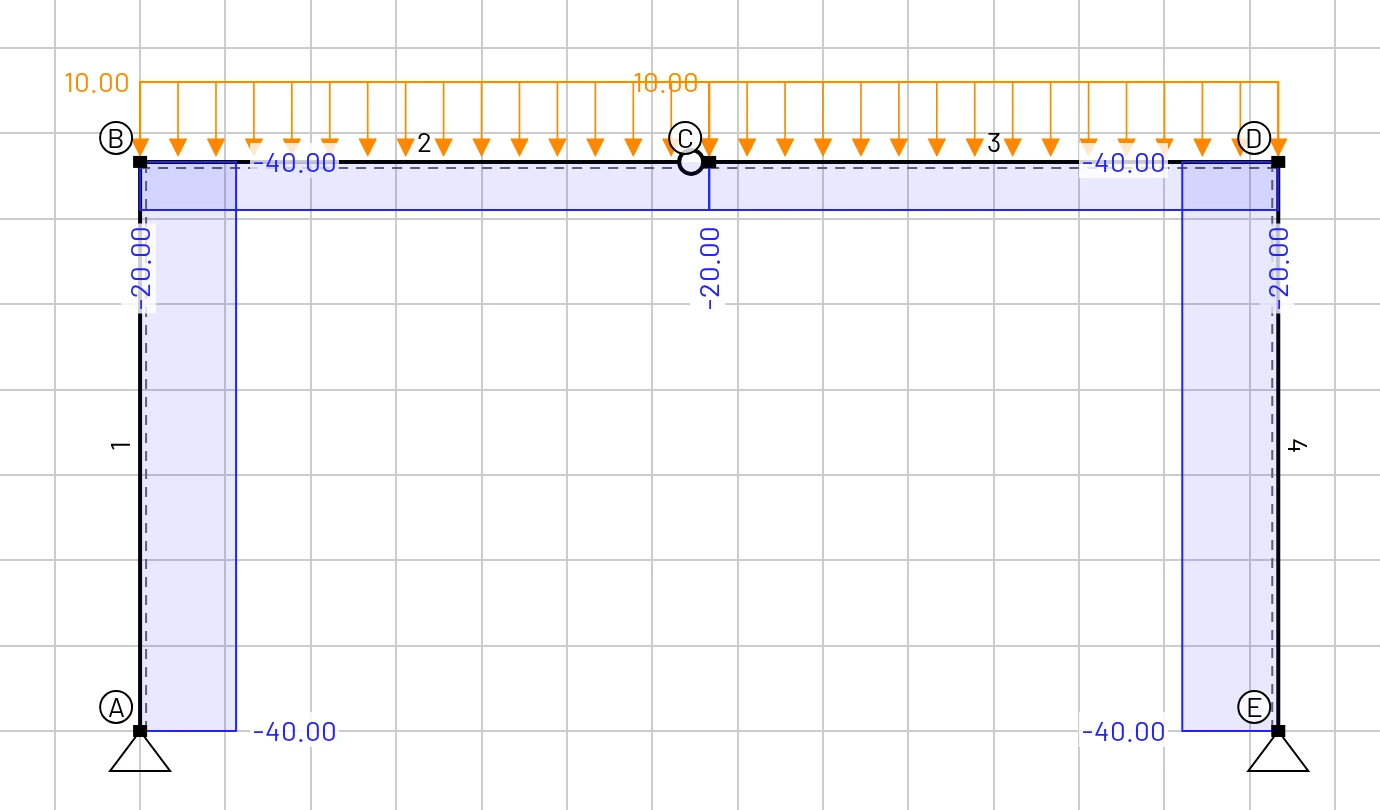
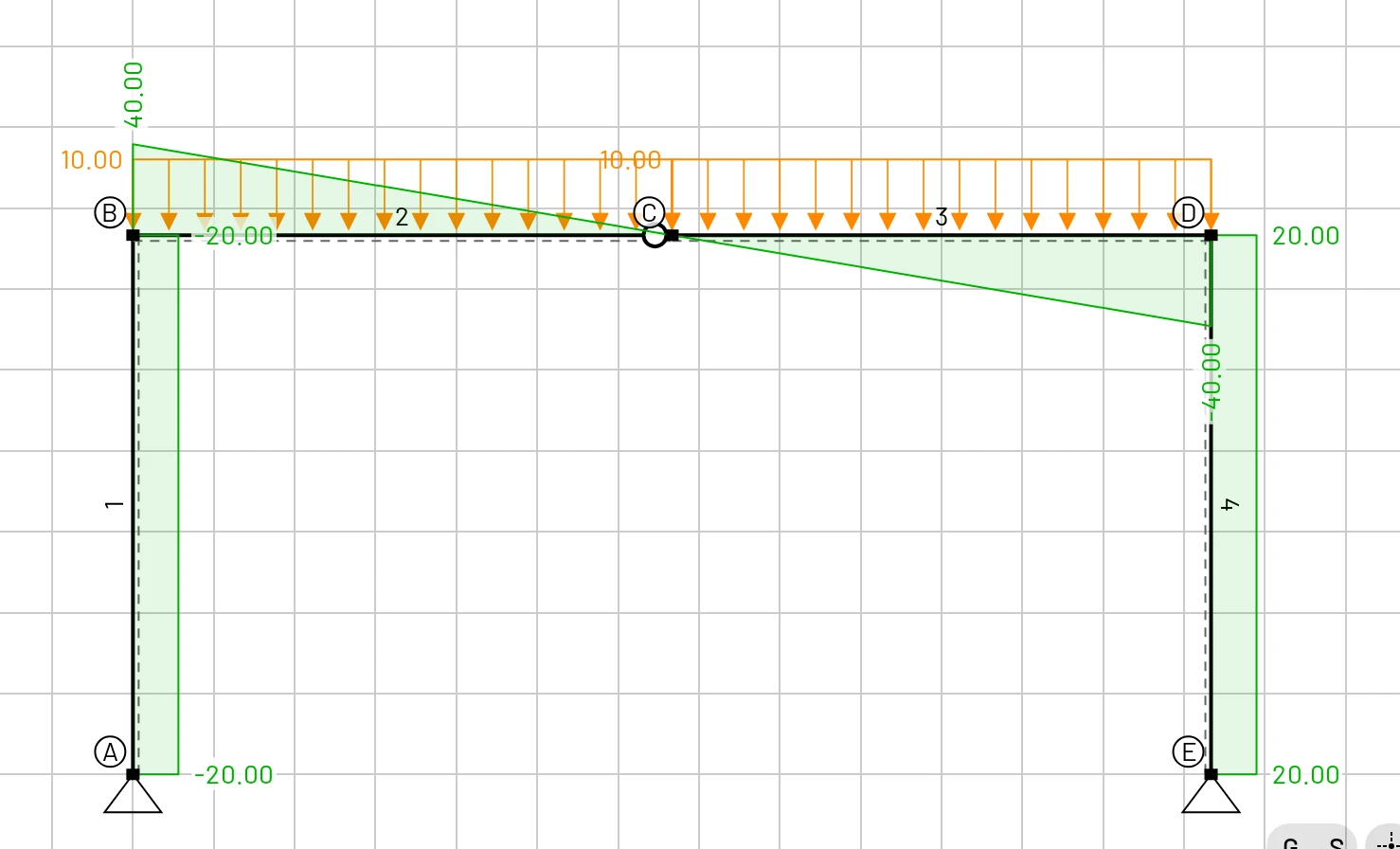
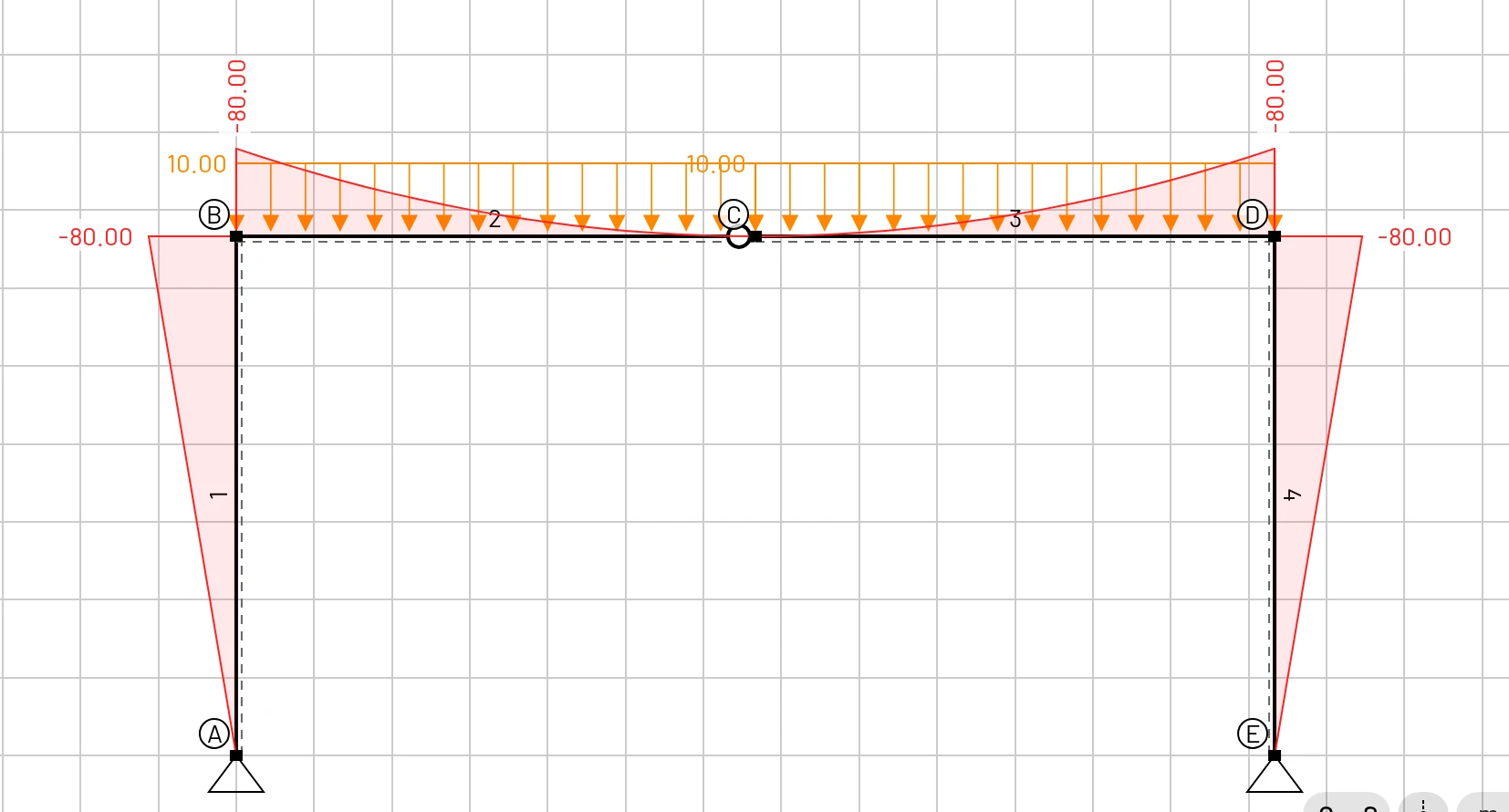
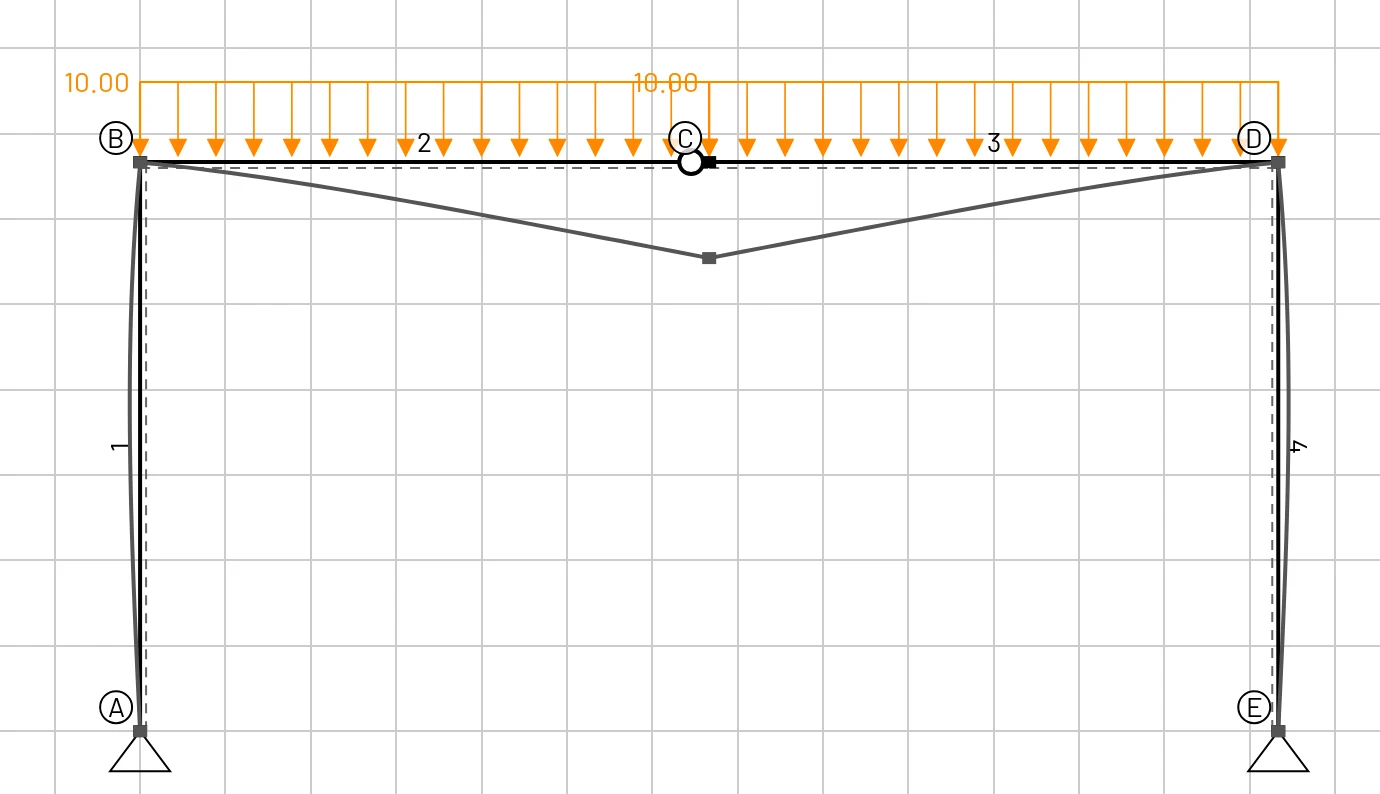
The pictures on this page all show the same model: the three-hinged frame under 10 kN/m.
Overlays in the viewer
Switch them on and off in the display options at the top right of the viewer (the ⚙ button shows or hides them).
| Overlay | Colour (default) | Notes |
|---|---|---|
| Deformed shape | grey | Exaggerated: the largest displacement is drawn Results scale pixels long. On by default. |
| N (x), normal force | blue | Tension is positive. Constant along an element unless an axial load acts on it. |
| Vz (x), shear force | green | Linear under a uniform load, quadratic under a trapezoidal one, with a jump at a point load. |
| My (x), bending moment | red | Sagging is positive (tension in the bottom fibre). Labelled at both ends, at point loads and at every local extreme (where V = 0). On by default. |
| Reactions | purple | An arrow and a value for every restrained DOF. On by default. |
Values are written at the characteristic points of each diagram. The label orientation, the size of the plots and the colours can be changed in Settings.
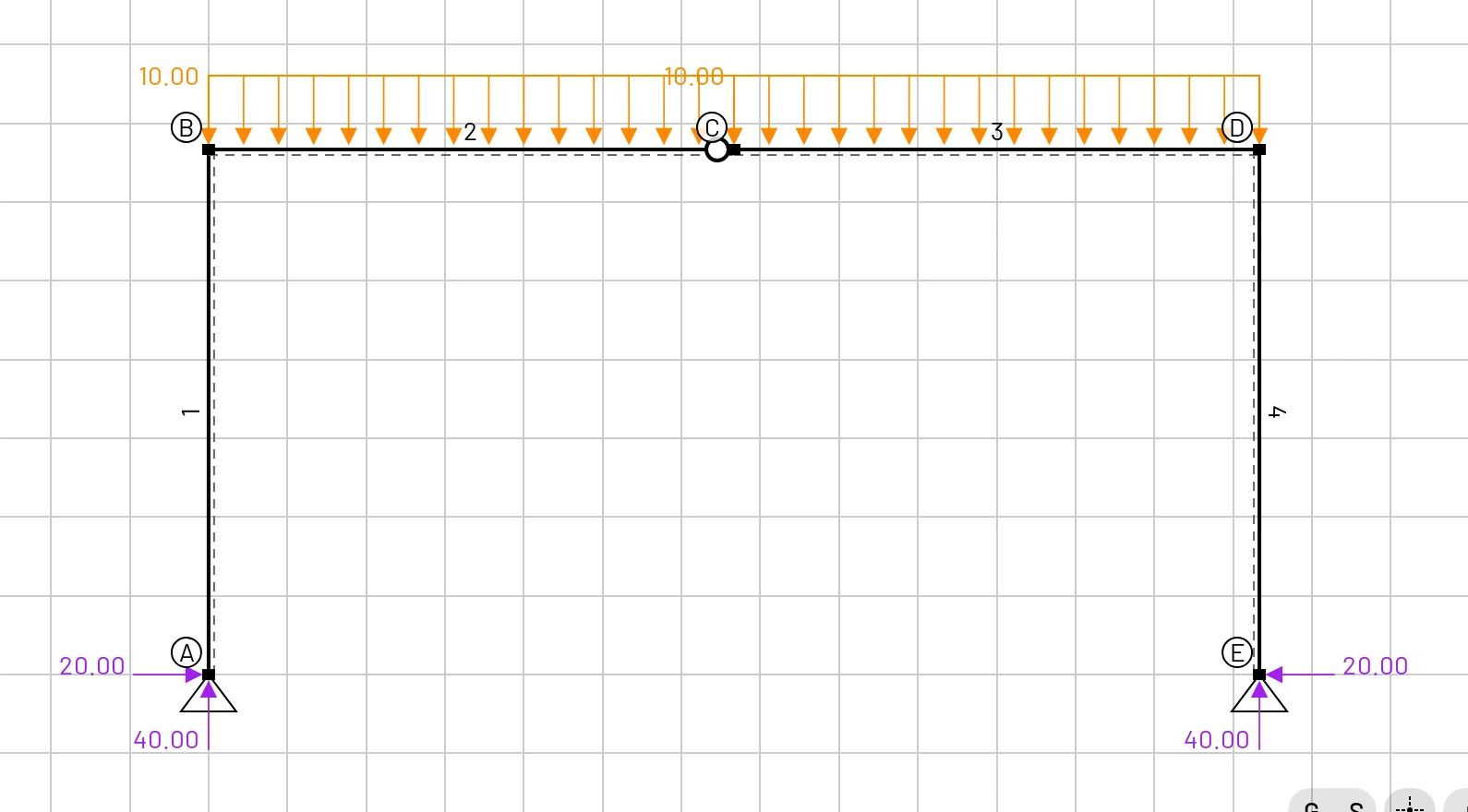
Reading the sign
Read the sign of a value from its label, not from the side of the member the diagram is drawn on. A negative bending moment is hogging: tension on the top fibre of a beam, or on the outside of a frame corner.
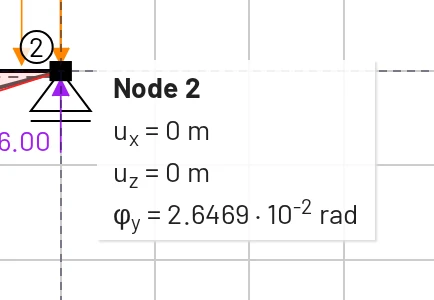
Hover tooltips
Pointing at an object is the fastest way to read a value:
- Node:
ux,uzandφy(displacements in the displacement unit, rotation in radians). - Element: its label, cross section and material.
- Load: its components.
On a touch screen, tap the object instead. The same details appear in its selection panel.
Results tab
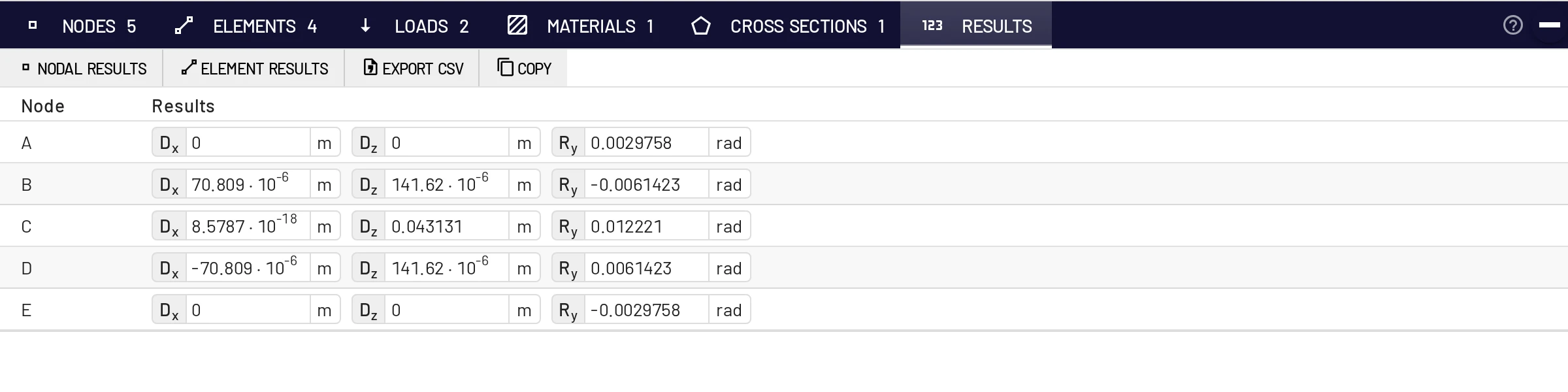
The Results tab in the bottom bar has two tables, switched with Nodal results and Element results.
Nodal results
One row per node with Dx, Dz (displacement unit) and Ry (rad). Signs follow the global axes: positive Dz is downward and positive Ry is counter-clockwise on screen.
Element results
One row per element with the end forces in the element's local coordinate system:
| Column | Meaning |
|---|---|
X12, Z12, M12 | axial force, shear force and moment acting on the element at its start node |
X21, Z21, M21 | the same at its end node |
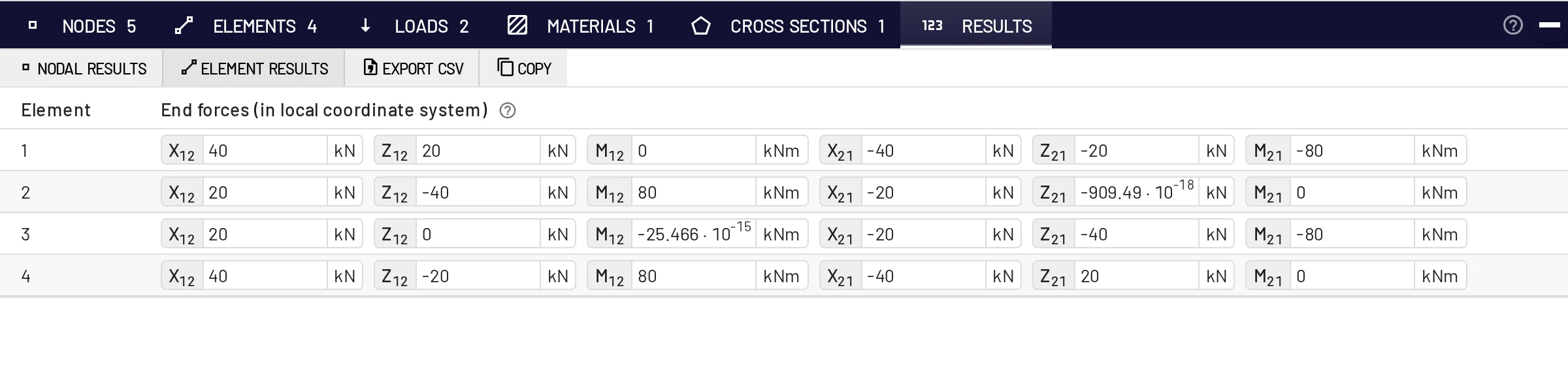
These are the forces the nodes exert on the element: the element stiffness matrix times its end displacements, minus the equivalent nodal loads. They follow the local axes, not the N-V-M convention of the diagrams:
- For the 6 m simply supported beam of the Quick start:
Z12 = Z21 = −36 kN. Both supports push the beam up, which is −z. - For a cantilever fixed at its start node with an 18 kN downward tip load:
Z12 = −18 kN,M12 = +72 kNm,Z21 = +18 kN,M21 = 0. - For column 1 of the frame (A at the bottom, B at the top):
X12 = +40 kNpushes along the local x axis into the element, which is 40 kN of compression.
Export CSV and Copy
Export CSV downloads edubeam-results.csv with both tables, in the units shown on screen and ready for a spreadsheet. The node table also lists the reactions Rx, Rz, My. Copy puts the same tables on the clipboard as tab-separated text, which pastes straight into Excel, LibreOffice or Google Sheets. In the export, element end forces are named N1 V1 M1 N2 V2 M2.
Stiffness matrix
Choose Stiffness matrix from an element's panel or table row to open a window with the element's 6 × 6 stiffness matrix in global coordinates, useful for checking hand assembly in a stiffness-method course. The formulas are in the theory manual.
Number format
Results are shown to five significant digits. Settings → Language & Locale → Number format decides how they are written:
| Format | 40 000 is written as | Use it for |
|---|---|---|
| Scientific (default) | 4 · 10⁴ | values that span many orders of magnitude |
| Engineering | 40 · 10³ | matching kilo / mega prefixes |
| Automatic | 40000 | everyday numbers in teaching |
Automatic writes values from 0.001 to 100 000 as plain numbers and switches to powers of ten outside that range. The decimal separator follows the language.
Precision and accuracy
- The beam element is exact for the linear Timoshenko model under nodal, uniform, trapezoidal, concentrated and temperature loads, so results do not depend on the number of elements.
- The computation is done in double precision. Tiny values such as
1.5 · 10⁻¹⁸are round-off and mean zero. - Deflections include shear deformation. For slender members this adds a fraction of a percent to the Euler–Bernoulli value; for deep or short members it can be several percent. Set the section's shear coefficient to a large value to suppress it.
Results in a report
- ☰ → Export image (Ctrl+P) saves the drawing as PNG or SVG with the overlays you choose. See Export an image.
- Results → Export CSV or Copy gives the numbers.
- Share model gives a link so a reader can open the model itself.